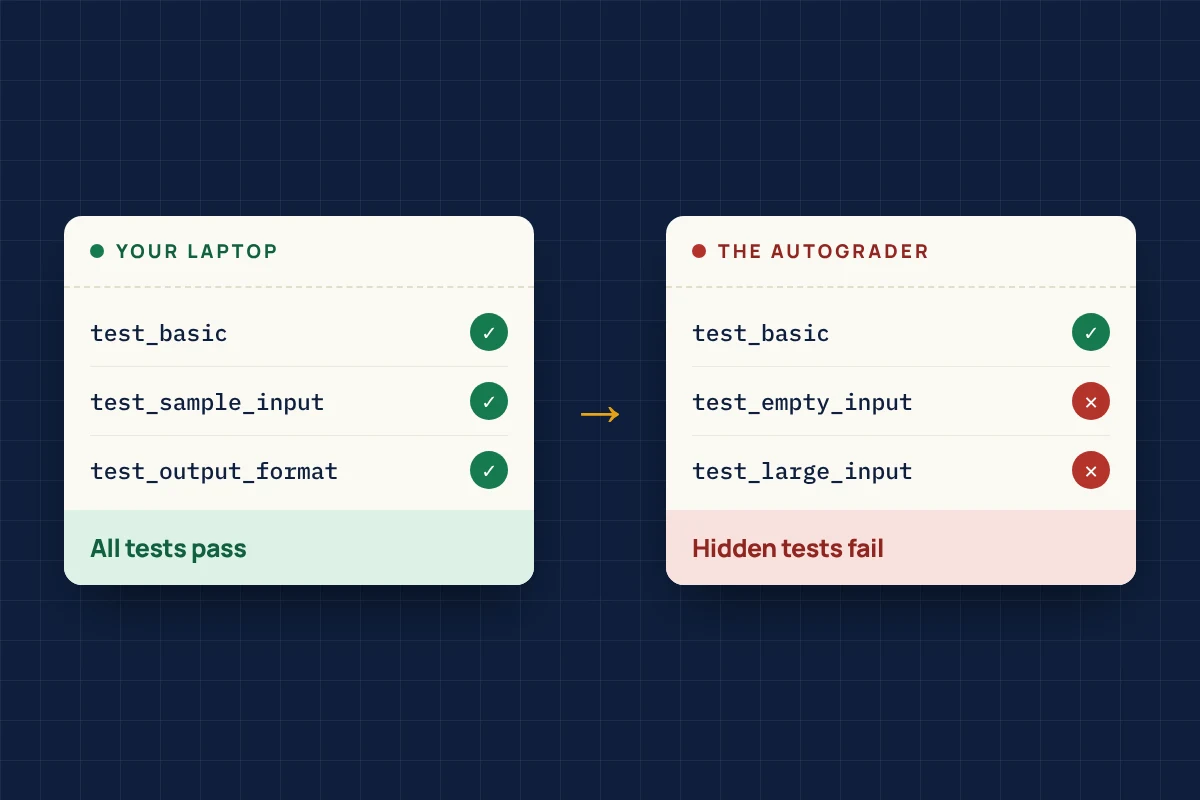
You ran it. It worked. You submitted, and the grader gave you 40 out of 100.
This is the most common way a programming assignment goes wrong, and it is rarely about your logic. The grader is not your laptop. It is a script on a server. It builds your files, feeds them inputs you never saw, and compares the results with what your instructor expected.
We are the engineering team at DoMyProgrammingHomework.io. Before we deliver any order, we run every test that came with the assignment and check the edge cases below. This guide is that process, written down. It starts with how graders work, then the 7 causes, then what breaks in each computer science subject.
How an autograder runs your code
Graders differ in the details, but they follow the same steps.
- Your files go to a fresh machineOnly what you uploaded goes along. Nothing else from your laptop exists there: no extra libraries, no data files, no settings.
- The grader builds your codeIt compiles or imports your files with its own compiler, its own language version and its own flags.
- It runs tests you may never seeEach test calls your functions or feeds input to your program. Some tests stay hidden until after the deadline, or forever.
- It compares resultsPrinted output is compared with the expected answer, often character by character. Return values are checked one by one.
- It enforces limitsA test that runs too long or uses too much memory is stopped and counts as failed.
- It writes your scoreYou see a score and whatever feedback your instructor chose to show. That can be very little.
The details depend on the platform. Everything in this table comes from each platform’s own documentation, linked under Sources.
| Grader | Where your code runs | What it checks | Limits it documents |
|---|---|---|---|
| Gradescope | Ubuntu images by default. Your files go to /autograder/submission. | Whatever script your instructor wrote. Each test can be visible, hidden, or shown only after the due date. | A 10 minute default timeout for the whole run, 40 at most. A 768MB default memory limit. Half of a virtual CPU. |
| PrairieLearn | A Docker container chosen by the course. Your files go to /grade/student. | The course’s grading script, which reports a score from 0.0 to 1.0. | A 30 second default timeout, 10 minutes at most. Network access is off by default. |
| nbgrader (Jupyter) | The instructor’s own Jupyter setup. | Test cells in your notebook. A cell passes if it raises no error. Hidden tests are put back at grading time. | Test cells are read-only. Changes you make to them are reversed. |
| CodeRunner (Moodle) | A sandbox run by the course. | Your output against the expected output. The grader its documentation recommends needs an exact match. | Set by the instructor for each question. |
Three lines in those documents explain most surprises.
You may not see why you failed. Gradescope’s documentation says that output your code prints is, by default, “only shown to instructors”. It also says that when test cases are hidden, “students will not be able to see their total score”. You can’t debug with print statements if nobody shows you the prints.
One slow test can cost everything. If a Gradescope run hits its overall timeout, the documentation says the submission gets a 0, and students “won’t see which tests were able to run”.
Exact means exact. CodeRunner’s standard grader “expects the output from the test execution to exactly match the expected output”. One extra space is a wrong answer.
Other platforms work on the same principle: a clean machine, tests you didn’t write, a strict comparison. So the same 7 causes apply everywhere.
The 7 reasons code works locally and fails the autograder
| Cause | What you see | Check this first |
|---|---|---|
| 1. Output doesn’t match exactly | “Expected X, got X” with no visible difference. Most tests fail by a little. | Prompts, spaces, blank lines, capital letters, number format |
| 2. A different environment | Compile or import errors you never got on your laptop | Language version, compiler flags, allowed libraries |
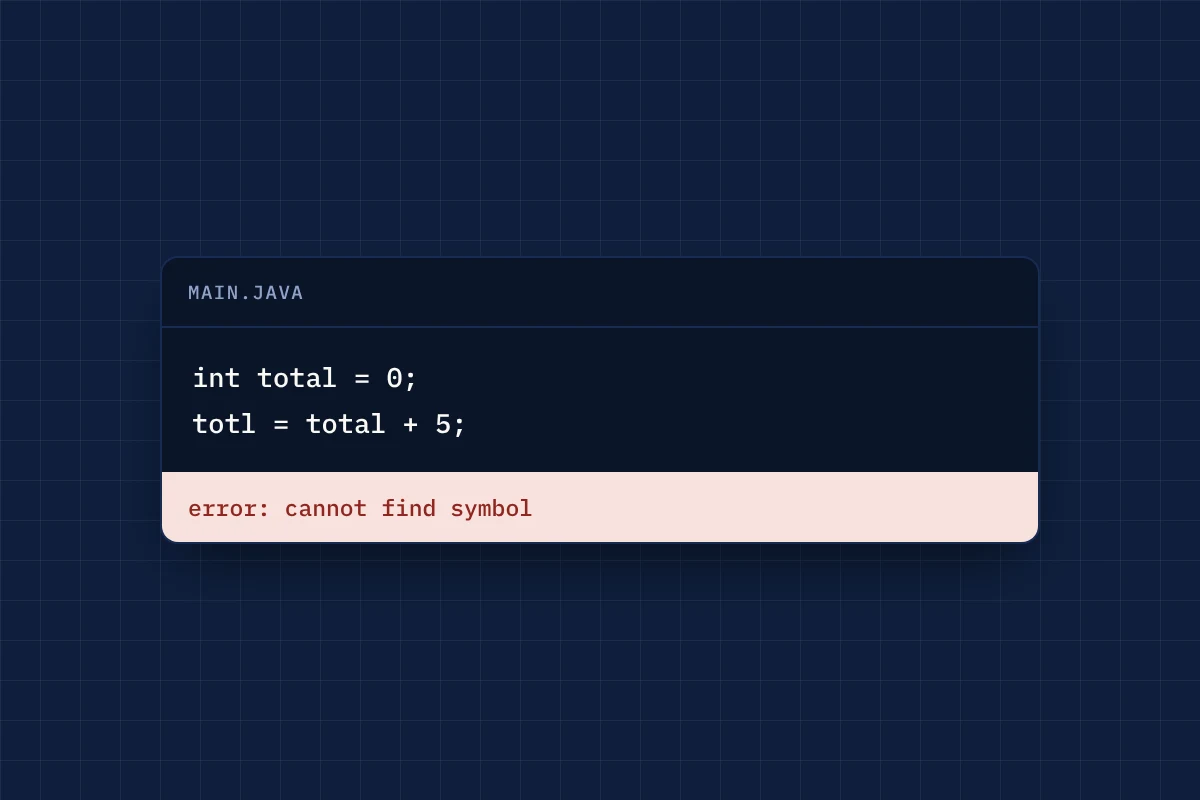
| 3. Wrong file, class or method names | cannot find symbol, undefined reference, ModuleNotFoundError, or 0 on every test | The exact names and signatures in the assignment |
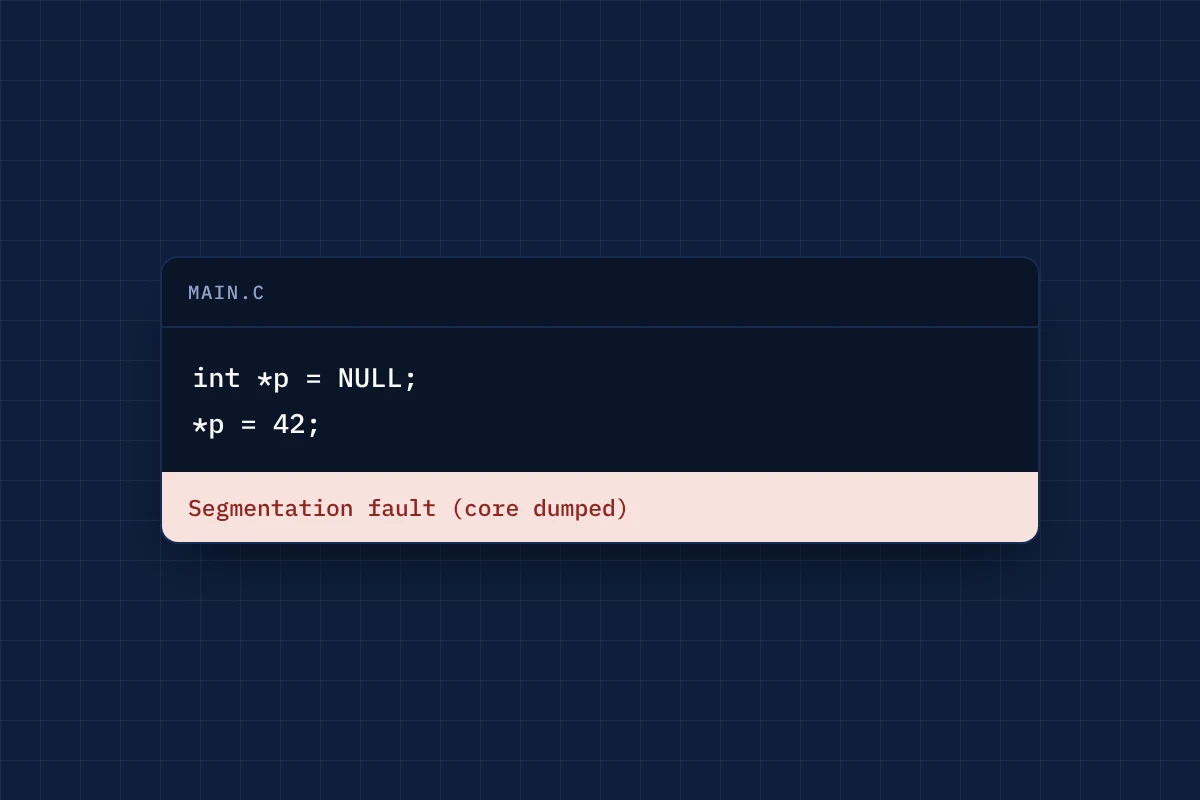
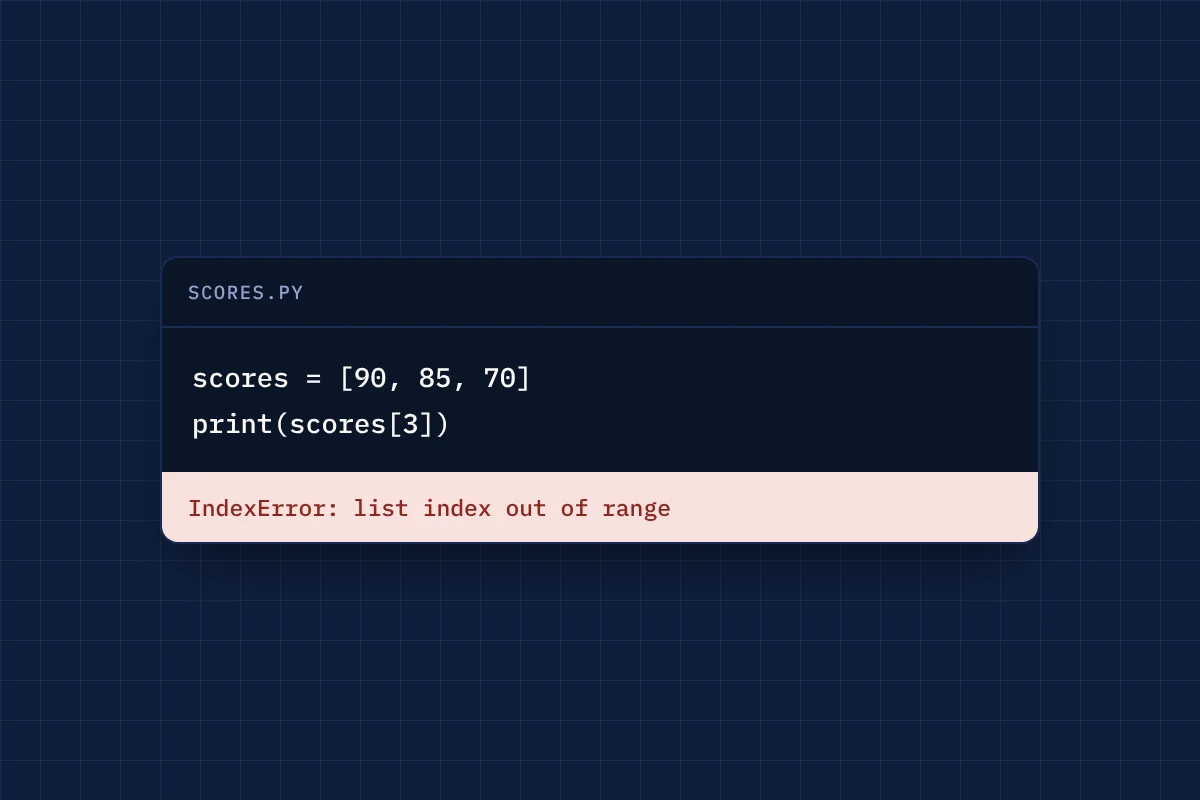
| 4. Hidden edge cases | Visible tests pass, hidden ones fail. IndexError, NullPointerException, a segmentation fault. | Empty input, one item, duplicates, negatives, very large input |
| 5. Time or memory limits | “Time limit exceeded”, “Killed”, or a 0 with no detail | Loops inside loops, deep recursion, slow input reading |
| 6. Leftover state or randomness | It passes sometimes. It passes alone and fails after other tests. | Globals, static fields, files left on disk, random numbers, the order of sets and maps |
| 7. A badly packaged upload | “No such file”, “The autograder failed to execute correctly”, or 0 | Required file names, folder layout, nothing missing |
1. Your output doesn’t match exactly
A person reads “Total: 12.5” and “total: 12.50” as the same answer. A grader does not. Output graders compare text, so every character counts: capital letters, spaces, blank lines, punctuation and the number of decimal places.
The most common version is a prompt. Python’s documentation says that when input() is given a prompt, the prompt “is written to standard output without a trailing newline”. The grader captures standard output. So your prompt lands in front of your answer.
name = input("Enter your name: ")
print("Hello, " + name)
# Grader expected: Hello, Ada
# Grader got: Enter your name: Hello, Adaname = input()
print("Hello, " + name)If the sample output in your assignment shows the prompt, keep it and copy it exactly. If it doesn’t, remove it.
Other output traps we see often:
- Trailing spaces and blank lines. A loop that prints
x,after every item leaves a comma and a space at the end. - Number format.
print(0.1 + 0.2)shows0.30000000000000004in Python. Format numbers to the decimal places the assignment asks for. - Line endings. Java’s documentation for
printlnsays the line separator “is not necessarily a single newline character”. Files written on Windows can carry an extra\ron every line. If your course gives you expected-output files, compare with a diff tool, not by eye. - Debug prints left in. One forgotten
print("here")fails every output test. - Output that never arrives. In C, text sent to
printfis held in a buffer when the output is not a terminal. If your program crashes or is stopped, the grader may see nothing. Print a newline at the end of each line, and callfflush(stdout)before any step that could crash or wait.
2. The grader’s environment is not yours
Your laptop has your language version, your libraries and your operating system. The grader has its own.
- Language version. Python’s
matchstatement needs version 3.10 or later. Java’svarneeds version 10. If the grader runs an older version, the file doesn’t even compile, and every test fails at once. - Libraries. If you installed a package on your laptop and the grader doesn’t have it, the import fails. Use only what the assignment lists.
- Compiler and flags. Many C and C++ courses compile with warnings turned into errors. Code that built on your laptop with a warning does not build there. Our guide to C compilers explains why two compilers can treat the same file differently.
- Operating system. Most graders run Linux. File names there are case-sensitive, so
Data.txtanddata.txtare two different files. On Windows, and on a Mac with default settings, they are the same file.
import Header from './components/header'
// Works on Windows and macOS. On the grader: Cannot find module './components/header'import Header from './components/Header'The fix is to find out what the grader runs and match it. The assignment page, the syllabus or the starter code usually says. If it doesn’t, ask on the course forum. It is a fair question.
3. The grader can’t find your code
The grader’s tests call your code by name. If the name is wrong, nothing runs, and you get 0 on everything. That score looks like a disaster, but it is the easiest one to fix.
In Java, the test file is compiled together with yours. If the test calls list.addFirst(x) and you wrote addFront, the build stops with error: cannot find symbol. The same happens if your class is in a package the grader doesn’t expect, or the file name doesn’t match the class name. Our guide to Java’s “cannot find symbol” error covers every cause.
In C and C++, the grader often links your file with its own main function or its own tests. A function you forgot to define gives undefined reference to. A main of your own, left in the file, gives multiple definition of main.
In Python, a wrong file name gives ModuleNotFoundError, and a wrong function name gives AttributeError.
Copy names and signatures from the assignment. Don’t retype them. Check the parameter order, the return type, and whether the function should return a value or print it. Returning when the grader expects printing, or printing when it expects a return value, fails every test.
4. Hidden tests reach inputs you never tried
You tested with the examples in the assignment. The grader tests with dozens more, and they are chosen to break code that only handles the easy cases.
The errors students search for most come from here. IndexError: list index out of range in Python is usually an empty list. NullPointerException in Java is usually a null that the examples never passed. A segmentation fault in C is usually a bad pointer or an index past the end of an array.
For every function, try these before you submit:
- Nothing: an empty string, an empty list, an empty file, zero
- One item
- Two items that are equal
- Negative numbers, and zero where you divide
- The largest input the assignment allows
- Input that is already sorted, and sorted backwards
- Text with spaces, capital letters and punctuation
Read the assignment once more for words like “at most”, “may be empty” and “assume”. Each one names a test.
5. Your code is too slow or uses too much memory
Graders stop tests that run too long. PrairieLearn’s default is 30 seconds for the whole job. Gradescope’s is 10 minutes for the whole run, and course scripts often set much shorter limits for each test.
A solution with a loop inside a loop is fine for 100 items and hopeless for 100,000. At that size it does 10 billion steps. If the assignment gives a size limit, plan for it: 100,000 items needs an approach that handles each item once, or sorts first.
Memory has a limit too. Gradescope’s documentation says the word “Killed” at the end of a run means the memory limit was hit. Its default is 768MB.
Recursion is the third limit. Python stops at about 1,000 nested calls by default and raises RecursionError: maximum recursion depth exceeded. A recursive solution that passed on 50 items fails on 5,000. Rewrite it as a loop, or check whether your course allows raising the limit.
6. Leftover state and randomness
Your laptop runs your program once. The grader may call your functions 50 times in the same process, in any order.
- Globals and static fields. A counter that starts at 0 on your laptop is still at 7 when the grader’s second test begins. Reset state at the start of each function, or don’t keep it at all.
- Files left behind. If your program appends to
output.txt, the second test finds the first test’s lines. - Random numbers. If the assignment gives a seed, use that exact seed, in the exact place it says.
- Order of sets and maps. Java’s documentation says
HashMap“makes no guarantees as to the order of the map”. A Python set of strings can print in a different order on every run. If the grader expects a fixed order, sort before you print.
Map<String, Integer> counts = new HashMap<>();
// ... fill the map ...
for (String word : counts.keySet()) {
    System.out.println(word + " " + counts.get(word));
}Map<String, Integer> counts = new TreeMap<>();
// ... fill the map ...
for (String word : counts.keySet()) {
System.out.println(word + " " + counts.get(word));
}In C, a variable you never set is the same problem in a harder form. Its value is whatever was in memory. On your laptop that is often 0. On the grader it often isn’t.
int sum;
for (int i = 0; i < n; i++) {
    sum += a[i];
}int sum = 0;
for (int i = 0; i < n; i++) {
sum += a[i];
}7. The upload itself is wrong
Sometimes the code is fine and the package is not.
- A zip with a folder inside. The grader looks for
Main.javaat the top level and findshw3/Main.java. - A missing file. You submitted the file you edited last and forgot the header, the helper module or the data file.
- Extra files that clash. Compiled files, your own test file with a second
main, or an old copy with the same class name. - A wrong name or type.
hw3_final(2).pyis nothw3.py. A notebook is not a script.
Gradescope shows “The autograder failed to execute correctly” when the grading script did not produce a valid results file. Sometimes that is a problem in the course’s script. Sometimes your code took the script down with it: a call that exits the program, a crash while the file is loading, or output that never ends. Check those three, then tell your course staff. They can see logs that you can’t.
What breaks in each computer science subject
The 7 causes show up differently in each course. Here is where to look first in each one.
Intro programming
Output format is almost everything here. Intro graders compare printed text, so cause 1 explains most lost points: prompts, spacing and number format.
Two more are specific to beginners. In Java, comparing strings with == can work in your own tests and fail on the grader, because the grader’s strings come from input. Use .equals(). In Python, any code at the top level of your file runs when the grader imports it. A leftover input() call or a test left outside if __name__ == "__main__": can hang or crash every test.
If your first course is in Java or Python, our pages on Java homework help and Python homework help list what those assignments usually cover. For background on the language itself, see what Java does.
Data structures
Here the grader calls your methods directly, so causes 3 and 4 matter most.
- Signatures. The method name, parameter types and return type must match the interface you were given, including generics.
- What to do on bad input. If the assignment says to throw
NoSuchElementExceptionon an empty list, returningnullfails the test. - Equality in Java. If your class doesn’t override
equalsandhashCode, the grader’s comparisons can fail even when your data is right. - Copies in C++. Your tests never copied your list. The grader’s test does. Without a copy constructor and an assignment operator, two objects share one block of memory and the program crashes when both are destroyed.
- Memory. Some C and C++ courses run your tests under Valgrind and take points off for leaks and invalid reads, even when the output is correct.
Sorting adds one more. In C++, std::sort does not promise to keep equal items in their original order. If the grader expects ties to stay in input order, use std::stable_sort.
std::sort(v.begin(), v.end(), [](const Student& a, const Student& b) {
    return a.score > b.score;
});std::stable_sort(v.begin(), v.end(), [](const Student& a, const Student& b) {
return a.score > b.score;
});See data structures homework help and C++ homework help for the assignments we see most.
Algorithms
Cause 5 dominates. The examples in the assignment are small, and the hidden tests are large.
- Time. Work out the number of steps for the largest allowed input before you write code.
- Overflow. A Java
intstops at 2,147,483,647. Sums and products of large inputs go past it and turn negative. Uselong. - Recursion depth. A depth-first search on a long chain of nodes can overflow the stack. Use your own stack or a loop.
- Slow input. In Python, reading a million lines with
input()is slow.sys.stdin.readlineis much faster. - Ties. If several answers are valid, check which one the assignment wants: the smallest, the first found, or any.
More on this course on our algorithms homework help page.
Operating systems and C
Systems courses add timing. Your threads ran in one order on your laptop. The grader has a different number of processors, so they run in another order. A race that shows up once in 100 runs for you can show up every time there.
- Build with
-Wall -Wextraand fix every warning. - Run under Valgrind, or build with the address sanitizer, to catch memory errors that don’t crash on your machine.
- Build with the thread sanitizer to find data races.
- Run your tests in a loop, 100 times. Passing once proves little for threaded code.
- Close every file descriptor and wait for every child process. Leaks that do no harm in one run break the tenth test.
- For kernel labs, run the course’s own grading command before you submit. In the MIT xv6 labs that command is
make grade.
See operating systems homework help and C assignment help.
Databases and SQL
SQL graders compare the rows your query returns with the expected rows. Two things go wrong.
The first is order. PostgreSQL’s documentation says that without sorting, “the rows will be returned in an unspecified order”. Your query returned them in a sensible order on your laptop by luck.
SELECT name, total
FROM orders
WHERE total > 100;SELECT name, total
FROM orders
WHERE total > 100
ORDER BY total DESC, name;The second is the database itself. You practiced on one system and the grader runs another.
| What you wrote | MySQL | PostgreSQL | SQLite |
|---|---|---|---|
SELECT 5 / 2 | 2.5000 | 2 | 2 |
WHERE name = 'ada' when the row says Ada | Matches with the default settings | No match | No match |
A plain column in SELECT that is not in GROUP BY, when you group by a non-key column | Error with the default settings | Error | Runs, and picks a value for you |
Find out which database the grader uses, and test on that one. Our post on whether SQL is a programming language covers how the systems differ. For help with a specific assignment, see SQL homework help and database assignment help.
Web development
Web graders install your project from scratch and run its tests.
- Dependencies. A package you installed by hand and never saved to
package.jsonis missing on the grader. - Ports and addresses. If the grader sets a
PORTvariable and your server listens on a fixed 3000, the tests can’t reach it. - File name case. The import example in cause 2 is the classic one.
- Paths.
C:\Users\you\project\data.jsonexists on one computer in the world. - Slow tests. Jest stops a test after 5 seconds by default. A test that waits on a slow call fails on a slower machine.
- Secrets. If your app needs a key from a file you didn’t submit, it won’t start. Follow your course’s rule for config values.
Before you submit, clone your own repository into an empty folder, install, and run the tests there. That is what the grader does. More on our web development homework help and JavaScript homework help pages. If you are new to the field, start with whether HTML and CSS are programming languages.
Machine learning and notebooks
Notebooks keep state between cells. That is their strength, and it is why they fail graders.
- Run order. You ran cell 9, then fixed cell 4, and never ran 4 again. The grader runs everything from the top. Use “Restart and run all” before you submit, every time.
- Deleted variables. A cell works because of a variable from a cell you later deleted.
- Random seeds. Set the seed the assignment gives, where it says to. Without it, your numbers change on every run.
- Float comparisons. Results can differ in the last decimal places between machines. That is normal. Format your output as asked.
- Library versions. Defaults change between versions. In scikit-learn, the default number of trees in a random forest changed from 10 to 100 in version 0.22. The same code gives different numbers.
- Graded cells. nbgrader’s documentation says test cells are read-only and that changes to them are reversed. Don’t edit, move or delete the cells you were given. Write your answer where the notebook says to.
See machine learning homework help. For statistics courses in R, see what R is used for and R homework help.
Mobile apps
Mobile projects fail at the build step more than anywhere else.
- Machine-specific files. A file that stores the path to the Android SDK on your computer should not be in your submission. The grader’s path is different.
- Versions. The project builds with your version of the build tools. Use the versions your course lists.
- Missing wrapper files. If the grader builds with the Gradle wrapper and you didn’t submit it, nothing builds.
- Interface tests. Android’s testing documentation recommends turning off system animations on test devices to avoid tests that pass and fail at random.
- Device assumptions. A layout that fits your phone can hide a button on the grader’s smaller screen, and a test that taps that button fails.
Clone your repository into a new folder and build it from the command line. If it builds there, it has a fair chance on the grader. More on our mobile app homework help page.
Networking
Network graders start your program, connect to it, and read what comes back.
- Ports. Take the port from the command line or the config the assignment names. Don’t fix it in the code.
- “Address already in use.” The grader restarts your server between tests. Set the
SO_REUSEADDRoption on the listening socket so it can bind again at once. - Partial reads. The Linux manual says receive calls return “any data available, up to the requested amount”. One call may give you half a message. Read in a loop until you have all of it.
- Byte order. Convert port numbers and integers with
htonsandhtonlbefore you send them. It can work without them between two programs on your own laptop, and fail against the grader’s client. - Buffered output. If the grader reads your log through a pipe, C holds your output back until the buffer fills. Call
fflush(stdout)after each line the grader needs to see. - Timeouts. A grader won’t wait forever for a reply. Send what the protocol asks for, and close the connection when the assignment says to.
Test like the grader before you submit
You can’t see the hidden tests. You can get close to the grader’s conditions. This routine is short, and it covers each of the causes above.
- Start cleanCopy only the files you will submit into an empty folder. If it doesn’t run there, it won’t run on the grader.
- Match the setupUse the language version and the compiler flags from the assignment. Turn warnings on.
- Compare output with a toolSave your output to a file and compare it with the expected output using
diff. Your eyes miss spaces.diffdoesn’t. - Run the edge casesEmpty, one item, duplicates, negatives, the largest allowed input.
- Time the big inputBuild the largest input the assignment allows and time your program on it.
- Run it more than onceRun the whole test set 3 times in a row. Different results mean leftover state or randomness.
- Check the packageOpen the zip you are about to upload. Check the names, the layout and that nothing is missing.
The before-you-submit checklist
Still failing? What to do next
Sometimes you have done all of this and the grader still says no. A hidden test is failing, the deadline is close, and there is nothing left to try.
That is the work we do. Send us your files and the grader’s message. A senior engineer finds the cause, fixes it and explains why it broke, so you can explain it too. You see a predicted budget before you share any contact details.
We won’t promise a score on a grader we can’t see. Hidden tests are the one thing nobody outside your course can see, so nobody can honestly guarantee them. What we do is run every test that came with your assignment, check the edge cases in this guide, and test in your course’s own setup if you share it. If a test fails after delivery, send us the result and we fix it free within 14 days.
Related services: debug my code, code review before you submit and programming assignment help. To see what this kind of work usually costs, read our programming homework help prices guide.
Questions students ask about autograders
Why does my code work locally but not on Gradescope?
Gradescope runs your code on its own Linux machine with the tests your instructor wrote. The usual causes are output that differs by a space or a prompt, a different language version, a wrong file or method name, a hidden edge case such as empty input, or a time limit. Run your code from an empty folder with only the files you submit, and compare your output with a diff tool.
How does a Gradescope autograder work?
Your instructor uploads a grading script. For each submission, Gradescope starts a fresh machine, copies your files to a submission folder, runs the script, and reads a results file with the score for each test. Tests can be visible, hidden, or shown after the due date. By default the whole run is stopped after 10 minutes.
Can I see the hidden test cases?
No. Hidden tests are chosen by your instructor, and only course staff can see them. You can predict them. They usually cover empty input, a single item, duplicates, negative numbers and the largest input the assignment allows. Test those yourself before you submit.
What does “The autograder failed to execute correctly” mean?
On Gradescope it means the grading script could not write its results file. The cause can be in the course’s script or in your code, for example a call that exits the program, a crash while your file loads, or output that never ends. Check those, then contact your course staff, who can see the full logs.
Why do I get 0 when most of my code is right?
A 0 on every test usually means the grader could not build or find your code. Check the file name, the class and function names, the folder layout inside your zip, and the language version. Fix that first. Scores often jump once the grader can run your code at all.
Does the autograder check more than the output?
It depends on the course. Some graders only compare output. Others call your functions directly, time them, check memory use, or run a style checker. Read the assignment and the feedback from your first submission to learn which kind you have.
Sources
Every platform fact in this guide comes from that platform’s own documentation.
- Gradescope autograder specifications and troubleshooting
- PrairieLearn external grading
- nbgrader: creating and grading assignments
- CodeRunner documentation
- Python built-in functions: input and print
- Java PrintStream and Java HashMap
- PostgreSQL: sorting rows
- MySQL: handling of GROUP BY, arithmetic operators and case sensitivity in string searches
- SQLite: SELECT
- C++ reference: std::sort
- Jest API: test timeouts
- scikit-learn: RandomForestClassifier
- Android: Espresso setup
- Linux manual: recv
- MIT 6.1810 xv6 lab: Unix utilities
Upload the prompt and see a predicted budget in under a minute. A senior engineer confirms the final price.