python -m pip install followed by the package name.Python’s documentation describes this error in one line: “A subclass of ImportError which is raised by import when a module could not be located.” The word that matters is located. Python is not saying the package is broken. It is saying it could not find it.
We ran every example below on Python 3.13 before writing it down. The messages are copied from those runs.
Where Python looks
An import line starts a search. The Python tutorial describes it: “the interpreter first searches for a built-in module with that name.” Then: “If not found, it then searches for a file named spam.py in a list of directories given by the variable sys.path.”
- Built-in modulesA small set that is compiled into Python, such as
sys. Most of the standard library is not in this set. - The folder of the script you ranThe tutorial calls it “the directory containing the input script”.
- Any folders in PYTHONPATHAn optional setting. Most students never set it.
- The installation’s own foldersIncluding the site-packages folder, which is where pip puts what you install.
If none of those has the module, you get the error. So every cause below comes down to one of two things: the module is not in any of those places, or Python is looking for the wrong name.
You can see the list on your own machine:
import sys

for folder in sys.path:
    print(folder)
How to read the message
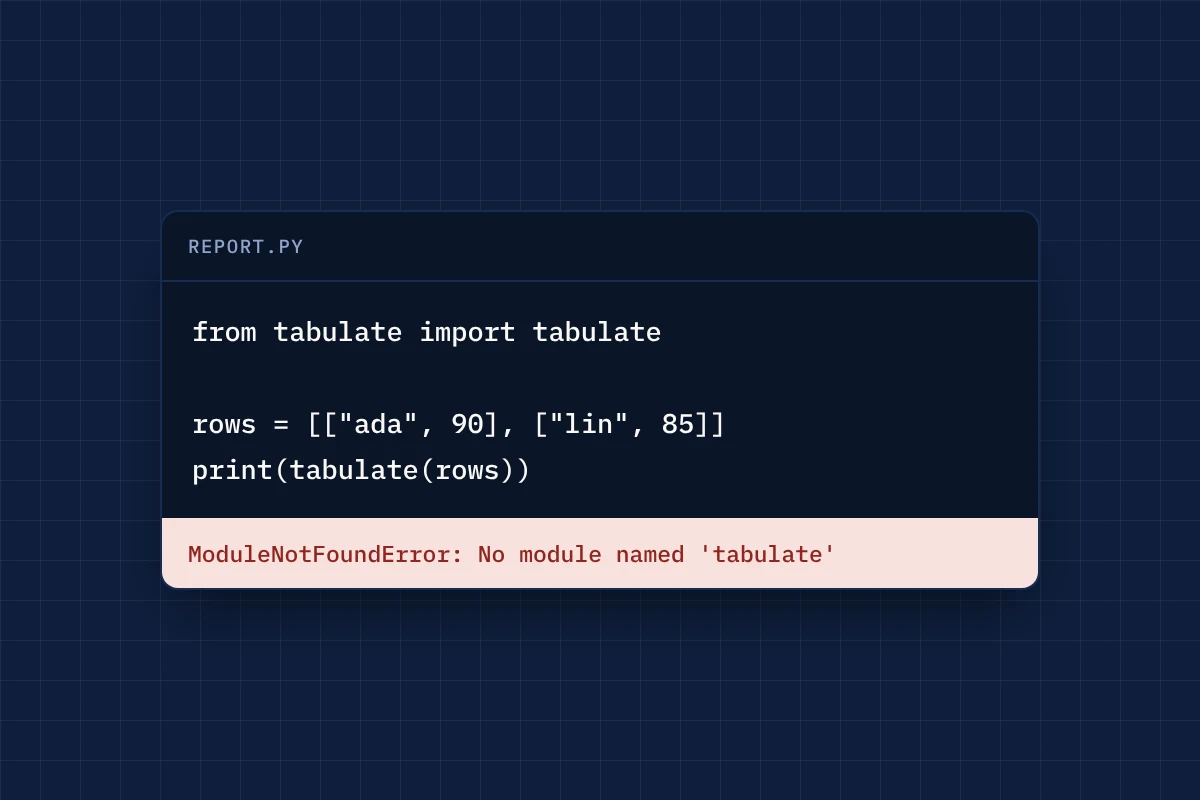
Traceback (most recent call last):
  File "report.py", line 1, in <module>
    from tabulate import tabulate
ModuleNotFoundError: No module named 'tabulate'
Read it from the bottom. The name in quotes is the name Python searched for. That is the name in your import line, which is not always the name you install. The lines above it give the file and the line number of the import that failed.
The 7 causes
| Cause | The clue | The fix |
|---|---|---|
| 1. The package is not installed | A library you never installed | python -m pip install and the name |
| 2. It is installed for a different Python | pip says it is installed, and the error stays | Install with the Python that runs your code |
| 3. The install name differs from the import name | pip install cv2 finds nothing | Install under the real name |
| 4. A typo or a wrong capital letter | No module named 'Json' | Fix the spelling |
| 5. Your own file, in a folder Python isn’t searching | The name in quotes is a folder of yours | Run from the project folder with -m |
| 6. A file of yours has the same name as a library | The message adds “is not a package” | Rename your file |
| 7. A notebook or editor is using another Python | It works in the terminal and fails there | Install from inside it |
1. The package is not installed
Python comes with a standard library. Everything else has to be installed first: pandas, requests, matplotlib, numpy and the rest.
python report.pypython -m pip install tabulate
python report.pyThe documentation says “pip is the preferred installer program”, and the command it gives is python -m pip install SomePackage. Writing python -m pip matters more than it looks. It is the fix for the next cause.
2. It is installed for a different Python
This is the one that makes people doubt their sanity. You ran pip install. It worked. The error is still there.
A machine can hold several Pythons: the one that came with the system, one you downloaded, one inside a virtual environment. Each has its own set of installed packages. We set up two on one machine and installed tabulate into only one of them:
$ envA/bin/python -m pip show tabulate
Name: tabulate
Version: 0.10.0

$ python3 -m pip show tabulate
WARNING: Package(s) not found: tabulate
The same script printed a table with the first Python and raised ModuleNotFoundError with the second.
The fix is to install with the exact Python that runs your code. That is what python -m pip does: it runs the pip that belongs to that python. The documentation gives the same advice for machines with several versions: “use the versioned Python commands in combination with the -m switch to run the appropriate copy of pip”.
Two checks tell you which Python you are dealing with:
import sys

print(sys.executable)python -m pip --versionOn our machine the second command printed pip 24.0 from /usr/lib/python3/dist-packages/pip (python 3.13). That line names the Python this pip belongs to.
Virtual environments are the usual reason for two Pythons. The documentation describes them as environments “each with their own independent set of Python packages”, and says a new one “is isolated from the packages in the base environment”. So a package you installed before creating the environment is not in it. Activate the environment first, then install. After we activated ours, python and python -m pip both pointed inside it, and the script ran.
3. The install name differs from the import name
Some packages are installed under one name and imported under another. You get the error for the import name, try to install that name, and pip finds nothing.
| Your code says | Install this | When we tried to install the import name |
|---|---|---|
import cv2 | opencv-python | pip found nothing: “No matching distribution found for cv2” |
import sklearn | scikit-learn | The build failed with a notice to use scikit-learn |
import PIL | Pillow | pip found nothing: “No matching distribution found for PIL” |
import yaml | pyyaml | pip found nothing: “No matching distribution found for yaml” |
import bs4 | beautifulsoup4 | It worked. bs4 is a small package that installs beautifulsoup4 |
After installing the names in the middle column, every import in the first column worked for us. For OpenCV we installed the opencv-python-headless variant, which has no display windows. The project’s own page says to pip install opencv-python and then import cv2.
The scikit-learn case has an official notice. The package index page for sklearn says: “use pip install scikit-learn rather than pip install sklearn”.
If a library is not in this table, search for its install instructions. The page will show both names.
4. A typo or a wrong capital letter
import Jsonimport jsonNames must match exactly. In our run on Linux, a wrong capital letter was enough to fail. Check the spelling against the library’s documentation, letter by letter. import numpyy fails the same way.
5. Your own file, in a folder Python isn’t searching
The name in quotes is not a library. It is a folder or file you wrote. This is the most common version in course projects with more than one folder.
project/
    app/
        main.py        contains: from utils.helpers import clean
    utils/
helpers.pypython app/main.pypython -m app.mainHere is why. Python searches the folder of the script you ran, not the folder you are standing in. The documentation says so: for a python script.py command line, Python will “prepend the script’s directory”. We printed the first search folder both ways. With python app/main.py it was the app folder, and utils is not inside app. With python -m app.main it was the project folder, where utils is.
Changing into app and running python main.py failed in the same way.
A dotted import can also fail halfway. The documentation explains that for foo.bar.baz, “Python first tries to import foo, then foo.bar, and finally foo.bar.baz. If any of the intermediate imports fail, a ModuleNotFoundError is raised.” The name in quotes tells you which part failed.
6. A file of yours has the same name as a library
You name your practice file json.py or random.py. Now your own file is found first, because the script’s folder is searched before the standard library. The tutorial warns about it: “scripts in that directory will be loaded instead of modules of the same name in the library directory. This is an error unless the replacement is intended.”
We put an empty json.py next to a script that imports json.decoder, and got this:
ModuleNotFoundError: No module named 'json.decoder'; 'json' is not a packageThe second half, “is not a package”, is the clue. Python found a json, and it was a single file of yours.
The same mistake often shows up as a different error. With a local random.py, our script failed with an AttributeError, and Python 3.13 named the cause itself: “consider renaming” the file, “since it has the same name as the standard library module named 'random'”. The Python 3.13 release notes introduce that message with the words “A common mistake is to write a script with the same name as a standard library module.”
The fix is to rename your file. Don’t name a file after a library you use: not pandas.py, not requests.py, not turtle.py.
7. A notebook or editor is using another Python
Your script runs in the terminal. The same import fails in Jupyter, or in your editor’s Run button. That is cause 2 again: the notebook or the editor is using a different Python from your terminal.
In a notebook, install from inside the notebook. The IPython documentation describes the %pip command as “Run the pip package manager within the current kernel”, and gives the form %pip install followed by the package names. We did not run a notebook for this post, so this part comes from the documentation and not from our own run.
In an editor, run the sys.executable check from cause 2 inside the editor. If the path differs from your terminal’s, change the interpreter the editor uses, or install the package into that one.
Messages that look similar
| Message | What it means |
|---|---|
No module named 'os.nosuch'; 'os' is not a package | A dotted import where the first part is a single file, not a folder |
ImportError: cannot import name 'nosuch' from 'os' | The module was found. The name you asked for is not inside it |
ImportError: attempted relative import with no known parent package | A file that starts an import with a dot was run directly. Run it with -m from the project folder |
Find which cause is yours
- Read the name in quotesIs it a library, or something you wrote? A library: go to step 2. Your own file: go to step 4.
- Find out which Python is runningPut
import sysandprint(sys.executable)at the top of the script. - Ask that Python for the packageRun
python -m pip showand the package name, using that same Python. Not found means cause 1, 2 or 3. - Print the search foldersPrint
sys.path. The folder that holds your module has to be in the list. If it is not, that is cause 5.
sys.path can make the error go away on your machine. The path does not exist on anyone else’s, so the code fails for your grader. Fix how the program is run.When it only fails on the grader
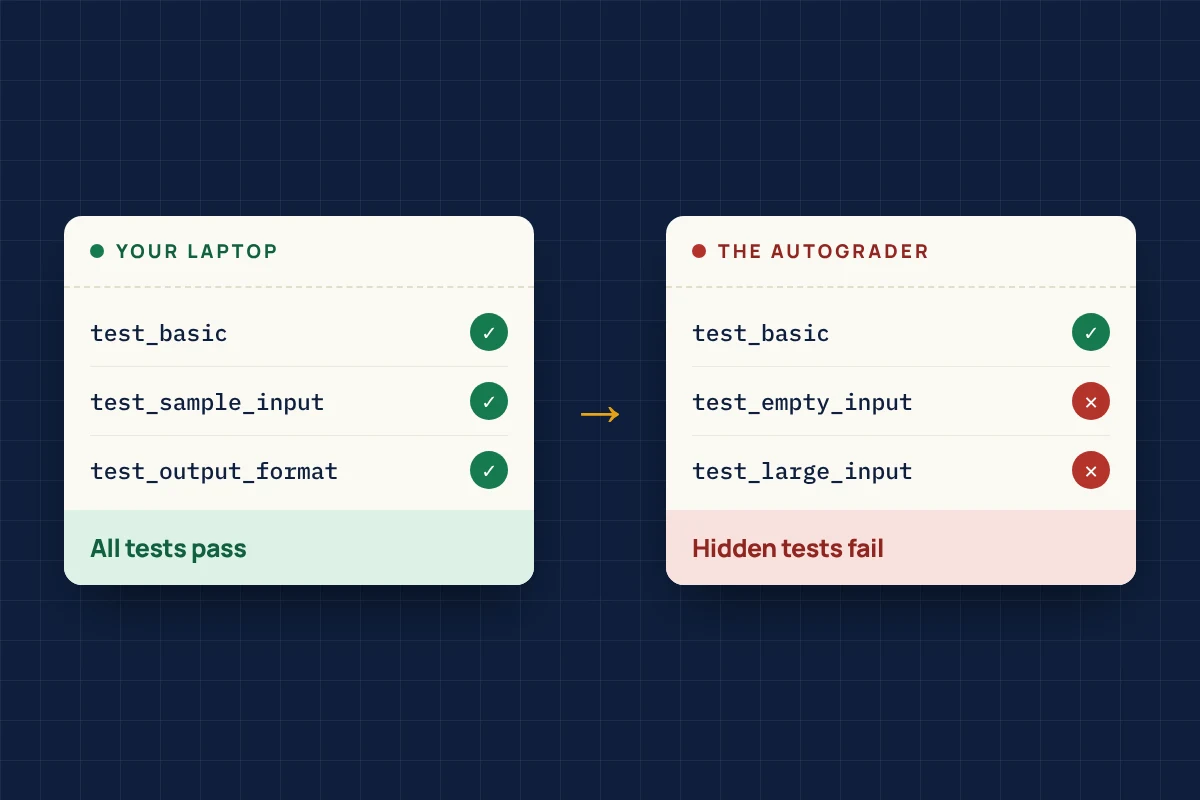
If the import works for you and fails on the course’s grader, the grader’s machine does not have that package, or it runs your code from a different folder. Use only the libraries the assignment allows, and check how the assignment says the program will be run. Our guide to why code works locally but fails the autograder covers both cases.
Still stuck?
Send us your files and the full error. A senior engineer finds the cause, fixes it and explains why it broke, so you can explain it too. On our debug my code page, a single bug or error message is typically $45–$70, usually the same day.
Related: Python homework help, machine learning homework help and programming assignment help. Other Python errors we have written up: IndexError: list index out of range and KeyError. For what this kind of help usually costs, see our price guide.
Questions about this error
What does No module named mean in Python?
It means Python looked for a module with that name in every folder it searches and did not find one. The package may not be installed, it may be installed for a different Python, the name may be misspelled, or it may be your own file in a folder Python is not searching.
Why do I get ModuleNotFoundError after pip install?
Usually because pip installed the package into a different Python from the one that runs your code. A machine can hold several Pythons, each with its own packages. Install with python -m pip install, using the same python command that runs your script, so the package lands in the right one.
What is the difference between ImportError and ModuleNotFoundError?
ModuleNotFoundError is a kind of ImportError. It is raised when the module cannot be found at all. A plain ImportError means the module was found and something else went wrong, such as asking it for a name it does not contain.
How do I fix No module named cv2?
Install the package under its real name, which is opencv-python, and keep the line import cv2 in your code. Trying to install cv2 itself failed in our run: pip found nothing to install under that name.
How do I fix No module named sklearn?
Install scikit-learn. The import name is sklearn and the install name is scikit-learn. The package index page for sklearn itself says to use pip install scikit-learn instead.
Why can Python not find my own module in another folder?
Python searches the folder of the script you ran, not the folder you are in. If your module is in a sibling folder, run the program from the project folder with the -m option and a dotted name, so the project folder is the one that gets searched.
Sources
- Python built-in exceptions: ModuleNotFoundError
- The Python tutorial: the module search path
- Python sys.path and the import system
- Installing Python modules and virtual environments
- What’s new in Python 3.13: improved error messages
- IPython: the %pip command
- Package index pages for opencv-python and sklearn
Upload the prompt and see a predicted budget in under a minute. A senior engineer confirms the final price.